
Phones
Revitalize Your iPhone: Simple Strategies to Extend Battery Life and Boost Performance

Maintaining your iPhone’s battery health isn’t just a techie concern; it’s a genuine way to enhance your device’s performance and longevity. If you’ve ever felt the frustration of your battery dying unexpectedly or witnessed the slow decline of its charge-holding capacity over time, you’re not alone. The lithium-ion batteries powering our smartphones, including iPhones, have their quirks, and understanding how they work can empower you to make smarter choices that directly affect their lifespan.
In the enlightening video from Daniel About Tech, you’ll get a closer look at the workings of lithium-ion batteries, including some myths that might surprise you, and practical tips to keep your iPhone’s battery in tip-top shape.
When it comes to charging your device, you might be asking yourself: why should I aim to keep the charge around 80%? Well, lithium-ion batteries operate best within a specific voltage range. If you routinely let your battery exceed 80% charge, you’re actually stressing it out, causing more aggressive chemical reactions inside. Over time, this could lead to faster battery wear and reduced efficiency, meaning your phone might not hold a charge as effectively as it once did.
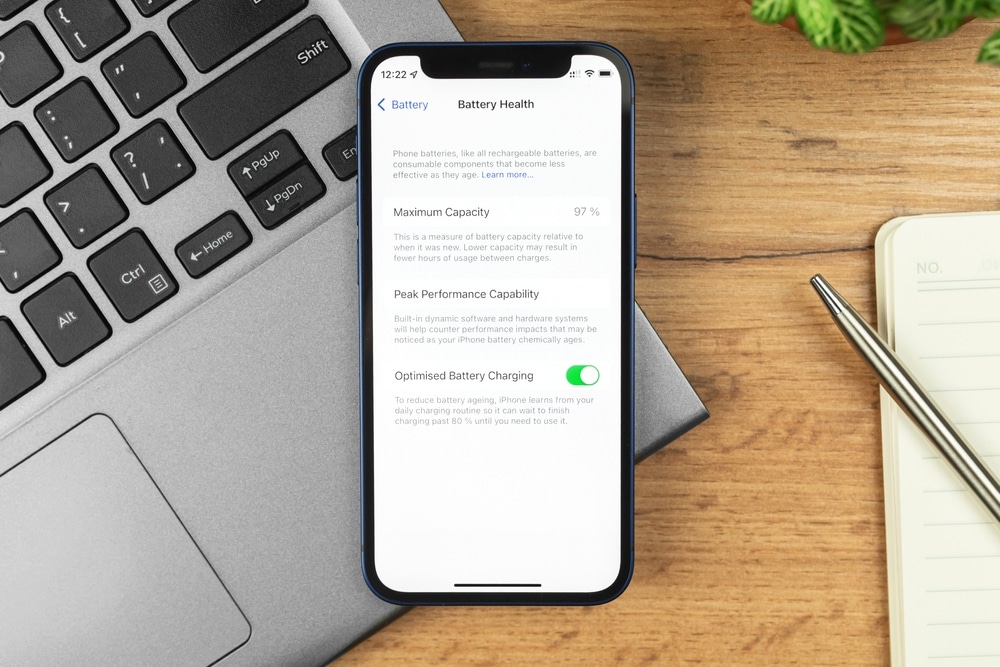
Fortunately, Apple has deployed some savvy technology, such as Optimized Battery Charging, to help you out. This feature analyzes your usual charging patterns and pauses charging beyond 80% until just before you typically need your phone. So, when possible, try charging your iPhone to no more than 80%. You’ll not only help prolong its life, but you’ll also improve its overall performance. It’s a small but powerful shift in your daily routine that can make a big difference.
Now, let’s talk about the pervasive myth surrounding the dreaded 20% battery warning. You might have heard that letting your battery fall below this mark can cause damage. The good news is, that’s not entirely true! Lithium-ion batteries are designed to operate well whether they’re at a low charge or a high one, and that 20% level serves more as a gentle nudge for you to charge soon rather than a panic button for immediate action.
In fact, other Apple devices, like iPads and MacBooks, trigger low-battery alerts at different points, such as 10%. This just goes to show that the 20% threshold isn’t as frightening as some claim it to be. While it’s preferable to avoid draining your battery completely on a regular basis, letting it fully discharge occasionally won’t lead to disaster. It actually offers you more leeway in daily usage—less fretting over battery levels means you can focus on what truly matters: enjoying your device.
So, how can you further optimize your charging habits? Here are some straightforward yet effective practices to keep your iPhone’s battery in great shape:
– Aim to keep your battery charge between 20% and 80%. This sweet spot reduces stress on your battery and increases its longevity.
– Turn on Optimized Battery Charging. This built-in feature will handle your phone’s charging limits automatically, protecting your battery from excess strain.
– Avoid leaving your iPhone plugged in for hours on end, especially overnight. Doing so can lead to overheating and undue wear.
– Always use certified chargers and cables. Non-certified products may pose risks, jeopardizing your device and its battery health.
– Store your iPhone in a cool, dry place. Heat is a battery’s enemy; keeping your phone in a hot environment can accelerate its decline.
Incorporating these tips into your daily life can significantly enhance your iPhone’s battery health and ensure it remains reliable when you need it most.
Accepting that all lithium-ion batteries naturally degrade over time can be challenging, but knowing how to manage that process is key. They can lose capacity more quickly with poor charging practices—charging to 100% every time or exposing them to high temperatures can hurt battery longevity significantly more than you might realize.
Your iPhone includes features that monitor battery health and adjust charging methods to limit wear. You can keep tabs on your battery status by checking the Battery Health section in your Settings app. This will arm you with critical information, allowing for informed choices around your charging habits and enabling proactive measures to retain your battery’s capacity.
By understanding the factors that contribute to battery aging and being mindful of your charging routines, you can effectively enhance your device’s lifespan. Merging good practices with your iPhone’s intelligent features, you can mitigate the natural degradation process and continue enjoying your device for years to come.
For further reading on maximizing your iPhone’s battery health, consider browsing through our extensive content library filled with helpful guides just like this one. There’s a wealth of information out there to support you in caring for your phone!











