Gadgets
Unlocking the Best Password Manager: A Deep Dive into 1Password vs. Apple Password

Selecting the right password manager is a crucial step in protecting your digital life. With the rise of Apple’s Passwords app now operating as its own standalone application, many loyal Apple users are reconsidering whether they still need third-party options like 1Password. In this article, we’ll break down the features, weaknesses, and unique qualities of both Apple’s Passwords app and 1Password to help you make an informed choice tailored to your personal needs.
Let’s be honest, managing passwords can feel overwhelming. Juggling multiple accounts while trying to remember strong, complex passwords is a headache most of us want to avoid. Apple’s Passwords app stands out as a convenient, no-cost option that integrates seamlessly across your Apple devices, tempting those of us trying to save a few bucks on subscriptions. But before you rush into dropping your current service, let’s dig a little deeper to see if this app meets all your needs, especially if you’re someone who requires advanced features or needs to use a variety of operating systems.
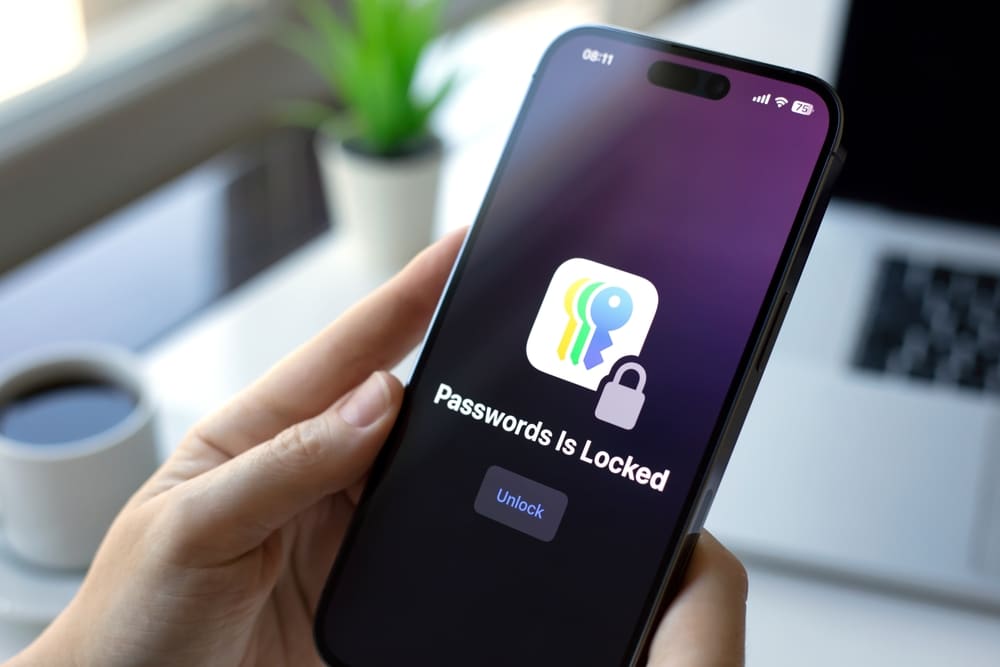
Apple’s Passwords app is essentially designed for ease of use within the Apple universe. If you’re the kind of person who loves all things Apple and uses iPhones, iPads, and Macs, you may find its seamless experience hard to resist. Here’s what makes it appealing:
Cost-Free Access: One of the most attractive aspects of Apple’s Passwords app is that it’s completely free. If you’re trying to cut back on monthly expenses, it’s a no-brainer.
Passkeys: In this age of cybersecurity threats, having robust protections is more critical than ever. Apple’s Passwords app employs passkeys—secure cryptographic keys instead of traditional passwords—to help safeguard your accounts from phishing attempts and other online threats.
Biometric Authentication: Let’s face it, remembering complex passwords is no fun. With Face ID and Touch ID, you can log in with just a glance or a touch, letting you skip those lengthy password entries while keeping things safe.
Temporary Email Addresses: Privacy matters, especially when signing up for different online services. The app allows you to create disposable email addresses, helping protect your personal information when registering for new accounts or signing up for newsletters.
Standalone App: The recent change to a dedicated app makes accessing all your stored passwords easier than ever. Everything you need for password management is now conveniently in one place.
While these features highlight its strong suits, the Apple Passwords app isn’t without its drawbacks. Here’s what to keep in mind:
Lack of Advanced Features: If you’re a developer or someone who requires specific features like SSH key management, you might find the app lacking.
Restricted Cross-Platform Compatibility: For those who also work with Windows, Android, or Linux, you’ll notice that this app is mainly built for Apple devices, which can be limiting.
Browser Support: Apple’s Passwords app works wonders with Safari. But if you prefer using popular browsers like Chrome, Firefox, or Edge, you may find the app falls short since it doesn’t offer plugins for them.
Customization and Control: With Apple’s app, you might feel like you’re in a bit of a one-size-fits-all situation. It doesn’t offer as many choices for customizing your security settings compared to other password managers.
If you find yourself needing more, that’s where 1Password comes into play. This service has gained a devoted following for those seeking comprehensive and flexible password management. Here’s a glimpse at how it holds up against Apple’s offering:
Advanced Functionality: 1Password packs a punch with features that go beyond password storage. It includes SSH key management, secure document storage, and sharing options that cater to both personal and professional needs.
Cross-Platform Support: The powerhouse of 1Password lies in its ability to work seamlessly across a variety of systems—Apple, Windows, Android, and Linux—making it ideal for users who hop between devices and ecosystems.
Browser Integration: If you’re a browser-hopper, rejoice! With plugins available for popular browsers like Chrome, Firefox, and Edge, you won’t be restricted to just one browsing experience while managing your passwords.
That being said, the cost might be a sticking point for casual users who might prefer a more budget-friendly option. Moreover, 1Password’s recent focus on enterprise-level features has left some individual users feeling overlooked, which is definitely something to consider.
So, is it time for you to switch from 1Password to Apple’s Passwords app? The answer depends on your personal needs and preferences. Here are some considerations:
For Apple Ecosystem All-In: If you live and breathe everything Apple and enjoy a streamlined, uncomplicated experience, the Passwords app is a fantastic choice. Zero subscription fees combined with integrated biometric security can be highly appealing.
For Advanced Users: If you rely heavily on advanced features like those mentioned earlier—such as managing SSH keys or needing to work across many different platforms—then 1Password (or a similar tool) would likely be your best bet.
For a Hybrid System: You might find that using both options suits your needs well, though this could complicate your workflow and require some extra effort to keep everything consistent.
Looking ahead, Apple’s Passwords app is set to grow and evolve, with regular updates bringing new features and improvements. If simplicity, cost savings, and integration are at the forefront of what you’re looking for, this app could serve you well long-term. But if you have more sophisticated security demands or find yourself moving between a diverse set of devices, sticking with 1Password or exploring other robust options will likely serve you better.
Ultimately, your choice in password manager should reflect your unique requirements and lifestyle. If you want ease of use and a seamless integration into your Apple devices, Apple’s Passwords app could be the perfect fit. But if extensive features, cross-device and browser support, and greater customization are what you crave, diving deeper into 1Password or another alternative might be worth your while. You deserve a solution that matches your lifestyle and keeps your digital life under wraps, so choose wisely!