
Phones
Master Your iPhone: Simple Tips to Boost Your Productivity and Reduce Stress

Your iPhone is so much more than just a device for texting and calling; it’s an incredibly powerful tool that can boost your productivity and help you manage everyday stress. When you learn how to utilize its features effectively and customize its settings just right, you can turn your phone from a potential distraction into your very own productivity powerhouse.
To show you just how to do that, let’s dive into some practical tips. You’ll learn how to streamline your apps, master your notifications, and use Focus modes—basically, how to make your iPhone work for you, not against you.
First up, let’s talk about your apps—the heart of your iPhone experience. Start by reviewing all the apps you currently have. Are they really serving you? If you find some that were just fun distractions or that you haven’t used in a while, it might be time to say goodbye. Keeping only the apps that align with your personal and professional goals will not only declutter your screen but also help reinforce the idea that your iPhone is a productivity tool, not just another source of temptation.
Here’s how you can go about it:
– Identify and keep the apps that actually help you reach your goals—those that sharpen your focus and enhance your productivity.
– Uninstall any that are just cluttering your device or that you find yourself scrolling through aimlessly.
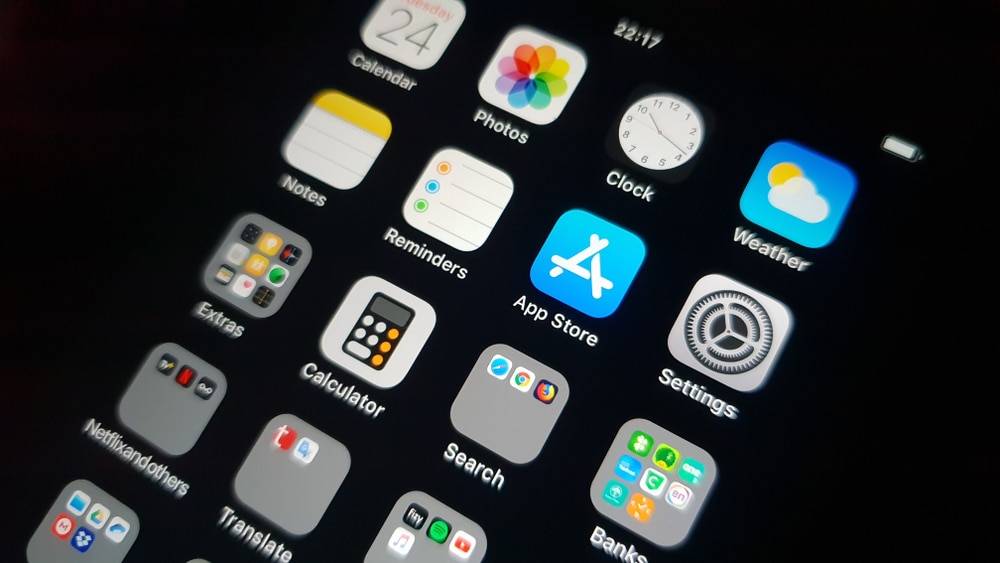
– Organize the apps you keep into folders. Group them by function or frequency of use to make it easier to locate what you need in a pinch.
Next, let’s tackle notifications. We’ve all been there—trying to concentrate on a task when suddenly your phone buzzes, drawing you away from what you were doing. Instead of letting notifications scatter your thoughts, take control of them. You can customize which alerts you receive and when. Think of it as giving yourself permission to tune out the noise while still keeping the important stuff close.
Try these tips to streamline your notifications:
– Tailor the notification settings for each app based on what matters most to you. Maybe you don’t need alerts from every social media app; prioritize the ones that are genuinely important.
– Allow notifications only for key contacts, vital calendar events, and reminders. This keeps your focus on what’s most pressing.
– Consider turning off notification badges for apps that don’t require immediate attention. You’ll feel less compelled to check your phone constantly, which means more time for what truly matters.
Moving on, let’s optimize Focus modes and your home screen layouts. iOS is loaded with features designed to help you customize your experience. By creating specific layouts for different tasks—like managing work, sparking creativity, or even keeping track of your health—you can effortlessly switch between contexts according to your needs with just a tap.
Here’s what to do:
– Create individual home screen layouts for various productivity contexts, such as Work, Creativity, Health, or Travel.
– Set up Focus modes that switch automatically when you open specific apps. This way, your iPhone morphs into exactly what you need when you need it.
– Use widgets to give you essential information at a simple glance, so you can stay on track without diving deep into apps.
If you often feel overwhelmed by managing your tasks, your iPhone has built-in apps that help you regain control. The Calendar, Reminders, and Clock apps can be extraordinary resources for getting organized. With a little discipline, you can conquer your to-do list and navigate your schedule without feeling like you’re on a tightrope.
Here’s how to use these tools effectively:
– Schedule everything in the Calendar app—from appointments to deadlines—putting important reminders in place to keep you on target.
– Create concise to-do lists in the Reminders app, so you can tick off tasks as you complete them. The satisfaction of crossing things off can be incredibly motivating!
– Utilize alarms and timers with the Clock app to manage your time better. Whether it’s a productive pomodoro session or just reminding you to take a break, you’ll appreciate the structure.
Now, let’s not forget about fostering creativity. Your iPhone can also serve as an inspiration hub. Use its high-quality camera and a plethora of creative applications to bring your ideas to life. It’s not just about taking pictures; it’s about capturing moments that inspire you.
To get those creative juices flowing:
– Dive into your iPhone’s camera features to explore different shooting modes and editing options for high-quality content creation.
– Take a look at creative apps for editing photos, making videos, or even graphic design. You’ll find plenty of resources that can elevate your projects.
– Invest in a simple tripod or an external mic, so you can produce polished content—perfect for showcasing your creative side.
Let’s talk about health and wellness too. Staying balanced is essential to enhancing your productivity and maintaining your mental well-being. Your iPhone can help you keep tabs on your health with various apps that track everything from your physical activity to mindfulness exercises.
Follow these tips to use your iPhone as your wellness partner:
– Leverage the Health app to keep track of your daily activity levels, sleep patterns, and other health metrics to stay motivated on your wellness journey.
– Set fitness apps to automatically track workouts, so you don’t have to think about it when you’re in the zone.
– Use mindfulness and meditation apps as resources for managing stress, ultimately leading to a more fulfilled and productive life.
Travel, too, becomes effortless with your iPhone as your trusty companion. Whether you’re en route for work or fun, there’s no shortage of travel apps and tools to make your journey smoother.
Here’s how to streamline your travel experience:
– Download essential travel apps for flight tracking, hotel reservations, and exploring local attractions, so you re-invent what traveling looks like for you.
– Use mapping applications for navigation and information on public transport. You’ll never lose your way again.
– Consider creating a specific home screen layout just for travel, filled with the apps and widgets you rely on most while on the go.
Finally, keep an eye out for new features from iOS updates, as they frequently bring new tools and enhancements that can further boost your productivity. Personalize your iPhone settings to fit your lifestyle. Adjust the Control Center for straightforward access to your most-used functions. Set up Shortcuts to automate common tasks, minimizing your manual efforts so you can focus on getting things done.
To sum it all up, by embracing these strategies, you can take charge of your iPhone usage and cultivate a more productive and less stressful lifestyle. Your phone can evolve into a vital ally in achieving your goals, giving you room to breathe and allowing you to accomplish more. Make the most of your device, and let it empower you to succeed without sacrificing your balance. You have the tools at your fingertips—now it’s time to put them to work for you!











