Gadgets
Everything You Need To Know About The New Features And Changes In watchOS 26

Apple’s watchOS 26 is set to revolutionize the user experience on the Apple Watch, introducing a plethora of enhancements designed to boost usability, customization, and performance. With its novel features, streamlined interface, and upgraded applications, this latest version emphasizes both functionality and aesthetics, ensuring that interactions with your device feel both modern and fluid.
New Watch Faces: Tailored to Your Style
One of the standout additions in watchOS 26 is the introduction of fresh watch faces, namely Waypoint, Flow, and Exactograph, each designed for extensive personalization. Users can now easily adjust colors, activate night mode, and incorporate adaptable complications to match individual preferences. Notably, some older designs such as Toy Story and Liquid Metal have been phased out, reflecting Apple’s commitment to a more refined and contemporary look. This shift not only enhances customization options but also aligns with modern design principles.
Interface Redesign: A Breath of Fresh Air
The interface of watchOS 26 has undergone a significant makeover that prioritizes both style and usability. Key updates include:
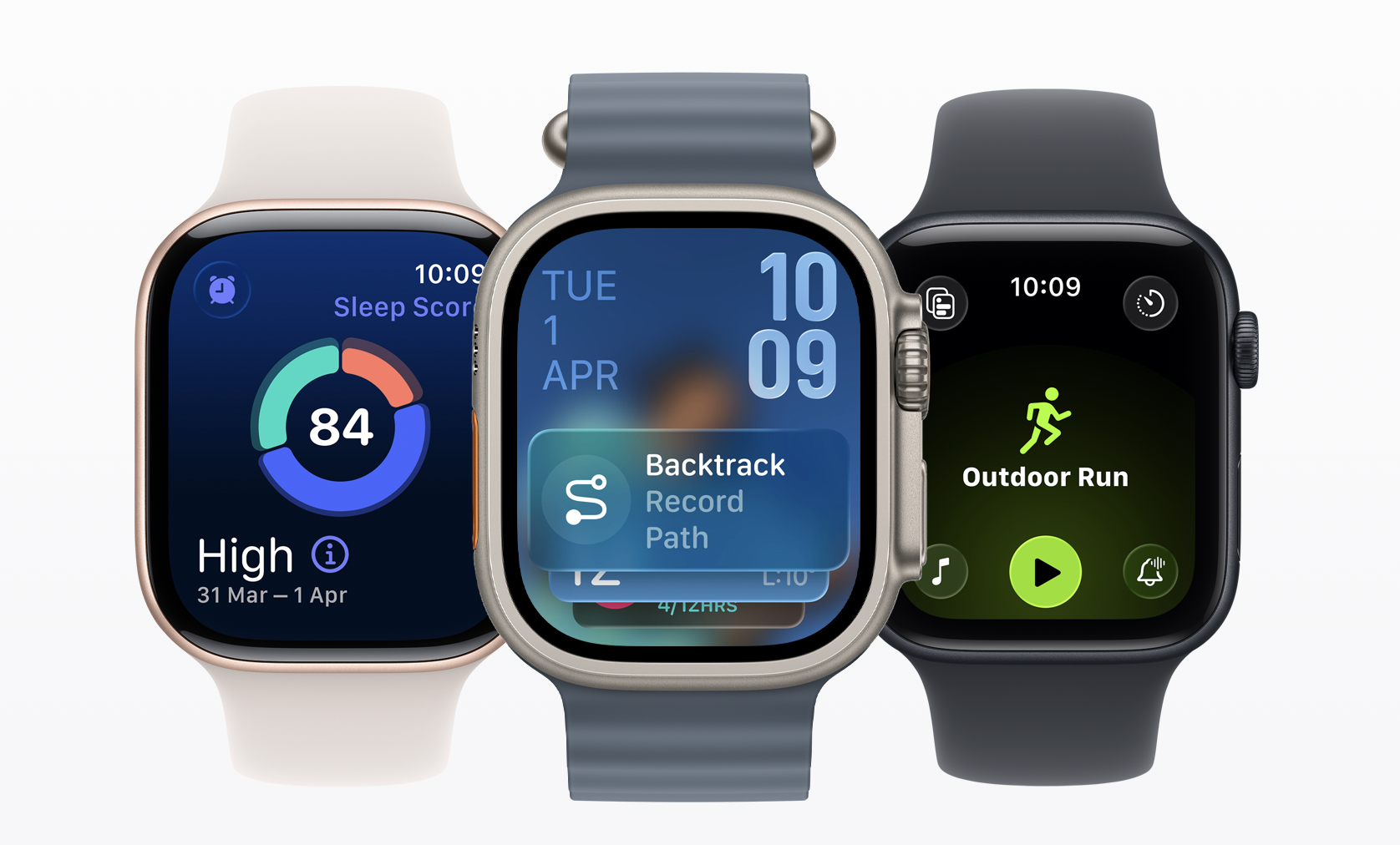
– Revamped Lock Screen: Featuring a sleek liquid glass effect, it offers a modern aesthetic.
– Smoother Animations: Interactions via the digital crown, buttons, and action button are now more fluid, enhancing the user experience.
– Updated Control Center: This area sports a cleaner design and now supports third-party shortcuts, making navigation considerably more intuitive.
These changes are intended to create a seamless experience, ensuring users enjoy polished and responsive interactions with their devices.
Enhanced Applications: More Power at Your Fingertips
Several core applications in watchOS 26 have been notably upgraded, elevating their functionality and integration with daily life:
– Notes App: Users can now create and sync notes directly with their iPhone for accessible cross-device synchronization.
– Sleep App: Offering detailed graphs and sleep scores, this tool aids users in understanding and improving their sleep patterns.
– Messages App: Introduced features like customizable background wallpapers and the ability to respond to polls enhance communication.
– Stock App: With a refreshed icon and enhanced usability, tracking market trends has never been easier.
These upgrades ensure that the Apple Watch remains an essential tool for managing tasks, staying informed, and boosting productivity.
Workout App: Revolutionized Fitness Tracking
The Workout app sees major improvements that elevate the fitness tracking experience:
– Streamlined Layout: Workout options are now categorized for easier navigation and quick access to favorite activities.
– Workout Buddy Feature: This new addition provides voice alerts and customizable options to help keep users motivated during their workouts.
– Apple Music Integration: Users can create personalized workout playlists directly on their watches for enhanced motivation.
These enhancements make it simpler and more engaging for users to meet their fitness goals.
Gesture and Interaction Innovations
watchOS 26 introduces innovative interactions that streamline daily tasks:
– Wrist Flip Gesture: A simple movement can now manage notifications, calls, and timers, reducing the need for manual interactions.
– Smart Hints: Available on all watch faces, this feature ensures quick access to apps and functions without disrupting workflows.
These intuitive updates allow for greater efficiency in managing tasks on the go.
Improved Battery and Power Management
The battery management system has been refined to enhance performance throughout the day:
– Low Power Mode Alerts: Users receive notifications when their battery is depleting rapidly, allowing for timely action.
– Accessory Battery Monitoring: Users can check the battery levels of connected devices from the Control Center, promoting better battery usage.
Adaptive Sound Notifications
To further enhance user experience, watchOS 26 now features adaptive sound notifications that adjust volume based on the surrounding environment. Whether users find themselves in a bustling setting or a tranquil space, this feature ensures alerts are audible without being intrusive.
Additional Noteworthy Updates
Several other improvements further refine the Apple Watch experience:
– Live Transcripts and Hold Assist: Enhancements for phone calls make communication more accessible.
– App Grid Redesign: Smoother animations improve navigation and organization.
– Streamlined App Deletion: Users can now easily delete apps directly from their watch, simplifying management and creating more storage space.
These continuous improvements underscore Apple’s commitment to enhancing the diverse needs of its user base.
With the release of watchOS 26, Apple continues to set the bar high for smartwatches, creating an experience that is not just innovative but also tailored for everyday convenience.