








Phones
Boost Your Day with These 10 iPhone Hacks for Maximum Productivity

Your iPhone serves as much more than a mere communication device; it functions as a multifaceted tool designed to enhance your organizational skills, focus, and overall efficiency. By leveraging its built-in features, you can streamline your daily tasks and boost productivity. From task management to reducing distractions, there are numerous strategies to unlock the iPhone’s full potential.
Simplify Browsing with Safari Tab Management
Effective management of your Safari tabs can greatly minimize time spent searching for information. For instance, if you accidentally close a tab, a simple long press on the “+” button in tab view lets you reopen it swiftly. Additionally, using Tab Groups can help you organize multiple tabs by project or theme. Important tabs can be pinned or duplicated, and moving tabs between different groups ensures your browsing experience is organized and focused on what truly matters.
Speed Up Communication with Phone App Shortcuts
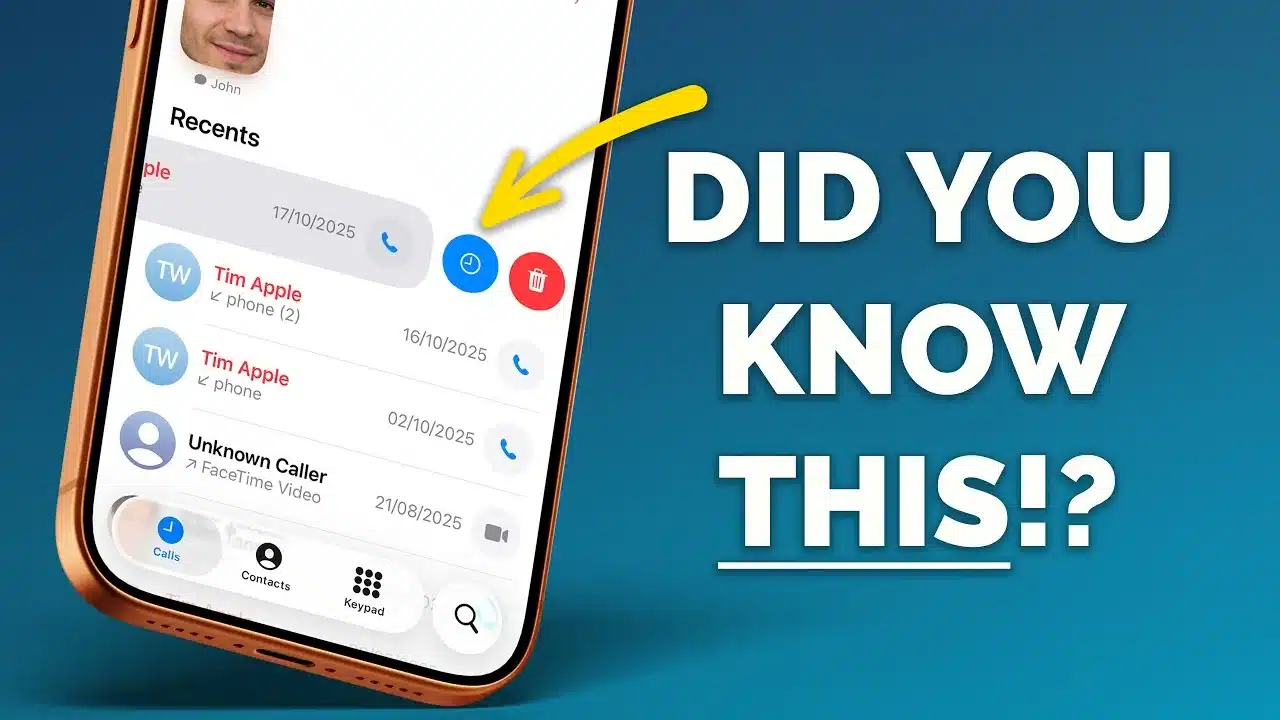
The Phone app is equipped with features designed to enhance communication efficiency. To ensure you never forget to return a call, set up callback reminders for missed communications. Add frequently contacted individuals to your Favorites list, specifying your preferred means of reaching them—be it WhatsApp, FaceTime, or a straightforward phone call. The Shortcuts app allows you to create custom buttons on your home screen for immediate one-tap calls or messages, helping you save precious time throughout your busy day.
Stay Focused with Guided Access
In an age filled with distractions, Guided Access becomes vital for maintaining focus. This feature locks your iPhone into a single app, making it ideal for presentations or study sessions. You can enable it by navigating through Settings > Accessibility > Guided Access, and customize settings such as time limits or touch restrictions based on your specific needs. This feature allows you to concentrate better, making task completion more manageable.
Supercharge Task Management with the Reminders App
The Reminders app is an excellent tool for organizing your responsibilities and deadlines. Quickly set reminders via the Control Center or Action Button for added convenience while on the go. By utilizing the Back Tap feature, you can also assign reminders that can be triggered with just a double or triple tap on the back of your device. Establish templates for recurring tasks, ensuring that you don’t waste time re-entering the same details. With these functions, managing your to-do list becomes a breeze.
Take Control of Notifications
Frequent notifications can easily disrupt your work flow, but the Scheduled Summary feature helps you regain control. This option groups non-urgent notifications to be delivered at designated times, allowing you to concentrate on your most urgent tasks. Customize your notification summary to filter out updates from apps that don’t require immediate attention. By managing when and how you receive alerts, you can stay informed without detracting from your productivity.
Integrate Your Mac and iPhone for Seamless Workflow
If you’re a Mac user as well as an iPhone user, integrating the two devices can significantly boost productivity. For example, your Mac can utilize your iPhone’s cellular connection for calls. Configuring your Mac’s audio input and output settings optimizes this function. Additionally, Handoff allows you to begin a task on one device and seamlessly transition to another, creating a cohesive workflow that minimizes interruptions and maximizes efficiency.
Create Tutorials with Screen Recording and Voiceover
The iPhone’s screen recording feature is invaluable for creating tutorials or instructional videos. You can add voice narration to your recordings, making instructions clearer and more engaging. This function is particularly useful for sharing educational content. Access the Control Center, initiate recording, and ensure the microphone option is turned on for voiceover. By blending visual and audio components, you can produce high-quality tutorials directly from your device.
Automate Tasks with the Shortcuts App
The Shortcuts app provides an ideal platform for automating repetitive tasks. Design custom workflows that execute multiple actions with just a tap. For example, a single shortcut can send a pre-written message, adjust your settings, or launch several apps at once. Automating routine tasks enables you to save time and focus on the more important activities in your day. Explore the gallery for pre-existing shortcuts or create your own to better meet your needs.
Use Focus Modes to Minimize Distractions
Focus Modes allow you to customize your iPhone’s features according to your current activities. Whether you are working, exercising, or unwinding, you can tailor notifications, home screen layouts, and app accessibility according to your requirements. Set these modes up in Settings > Focus and schedule them based on specific times, locations, or app usage. This adaptability ensures your iPhone supports your lifestyle, allowing you to remain productive and distraction-free.
Maximize Battery Life for Longer Productivity
A depleted battery can disrupt even the most productive workflows, but simple changes can help extend your iPhone’s battery life. Activate Low Power Mode via Settings > Battery to minimize background activity. Monitor battery usage statistics to pinpoint and manage power-hungry apps. Additionally, disabling unnecessary features such as Background App Refresh or Location Services can further conserve energy. These steps will help ensure your device remains operational throughout the day, supporting your productivity goals.
Unlocking your iPhone’s full potential involves not just knowledge but also the practical application of its various features. By implementing these strategies, you can enhance your productivity and streamline your daily routines, allowing you to achieve more with less effort.









